Best Garden Design Software Free & Professional Tools 2026
Wybór programu do projektowania ogrodu zależy od tego, czy chcesz zrobić prosty plan 2D, model 3D, czy realistyczne wizualizacje i dokumentację wykonawczą. Ten przewodnik pomaga dopasować darmowy program do projektowania ogrodu lub narzędzia profesjonalne do Twojego poziomu, budżetu i celu projektu.
TL;DR
- Darmowy program do projektowania ogrodu sprawdzi się do jednorazowego projektu i szybkiej koncepcji bez kosztów.
- SketchUp Free to sensowny wybór, jeśli zależy Ci na projektowaniu ogrodu w 3D i pracy w przeglądarce.
- myGarden od Gardena jest najlepszy, gdy priorytetem jest projekt nawadniania i lista zakupów do systemu podlewania.
- Profesjonalne programy do projektowania ogrodów zwykle wymagają zestawu narzędzi CAD + 3D + render, bo jedno narzędzie rzadko robi wszystko dobrze.
- Jeśli projektujesz komercyjnie lub często, płatne programy do projektowania ogrodu szybciej zwracają się oszczędnością czasu i lepszą jakością wizualizacji.
Published
12 February 2026
Share this article


 Copied
TOC
- Best Garden Design Software Free & Professional
- Why Use Garden Design Software?
- Free Garden Design Software Options
- Top Free Garden Design Programs
- Professional Garden Design Software
- Garden Design Software Used in Our Studio
- Professional Garden Design Software Costs
- Transform Your Garden Vision into Reality
- Summary - Which Garden Design Software to Choose?
- Garden Design Software - Frequently Asked Questions
- What factors determine garden implementation costs?
- How to establish a garden step-by-step?
- Does AI garden design make sense?
- What garden design mistakes can be costly?
- Why create a garden concept project?
- How to create a well-planned home garden?
- What tools help plan gardens effectively?
- Which climbing plants suit garden applications?
- What plants work best for hedges?
- What ornamental plants enhance garden beauty?
Best Garden Design Software Free & Professional
Are you searching for the best garden design software or a free garden design tool to create the perfect landscape project? You've come to the right place! Many homeowners feel overwhelmed by the variety of available options – both free and professional. Many programs lack user-friendliness, simplicity, and real assistance in creating effective landscape design software solutions.

Modern homeowners increasingly seek professional landscape architecture firm guidance when planning their outdoor spaces, but having the right design tools can make the initial planning process much more effective.
In this comprehensive guide, you'll discover:
- Free garden design software – tested and beginner-friendly options
- Professional landscape design software – advanced tools for experienced users
- The most innovative online solutions, their advantages, disadvantages, and practical applications
Thanks to this guide, you'll quickly choose garden design software perfectly tailored to your needs – without stress and time-consuming testing. As a professional landscape architecture company, we've been creating garden design projects for years, so we understand which programs truly help in your work and which ones you should avoid.

Why Use Garden Design Software?
Independent garden planning can be challenging and time-consuming, which is why using specialized garden design tools is invaluable. These applications simplify the design process, help avoid costly mistakes, and enable you to create cohesive, aesthetically pleasing garden concepts quickly. Whether you're planning modern garden ideas or working with traditional layouts, the most important benefits of using landscape design software free options include:
- Project Visualization – You can see how your garden will look before breaking ground. This feature is essential for making informed decisions about plant placement and hardscape elements.
- 3D garden visualization showing before and after landscape transformation using design software
- Easy Editing and Experimentation – Make changes to your design quickly without additional costs. Test different layouts, plant combinations, and color schemes instantly.
- Access to Ready-Made Templates – Many garden design applications offer extensive libraries of plants and garden elements, accelerating the design process.
- Better Garden Adaptation – Easily adjust your project to plot size, lifestyle, and budget constraints.
- Time and Money Savings – Avoid expensive mistakes by carefully planning plant placement, garden beds, and architectural elements before implementation.
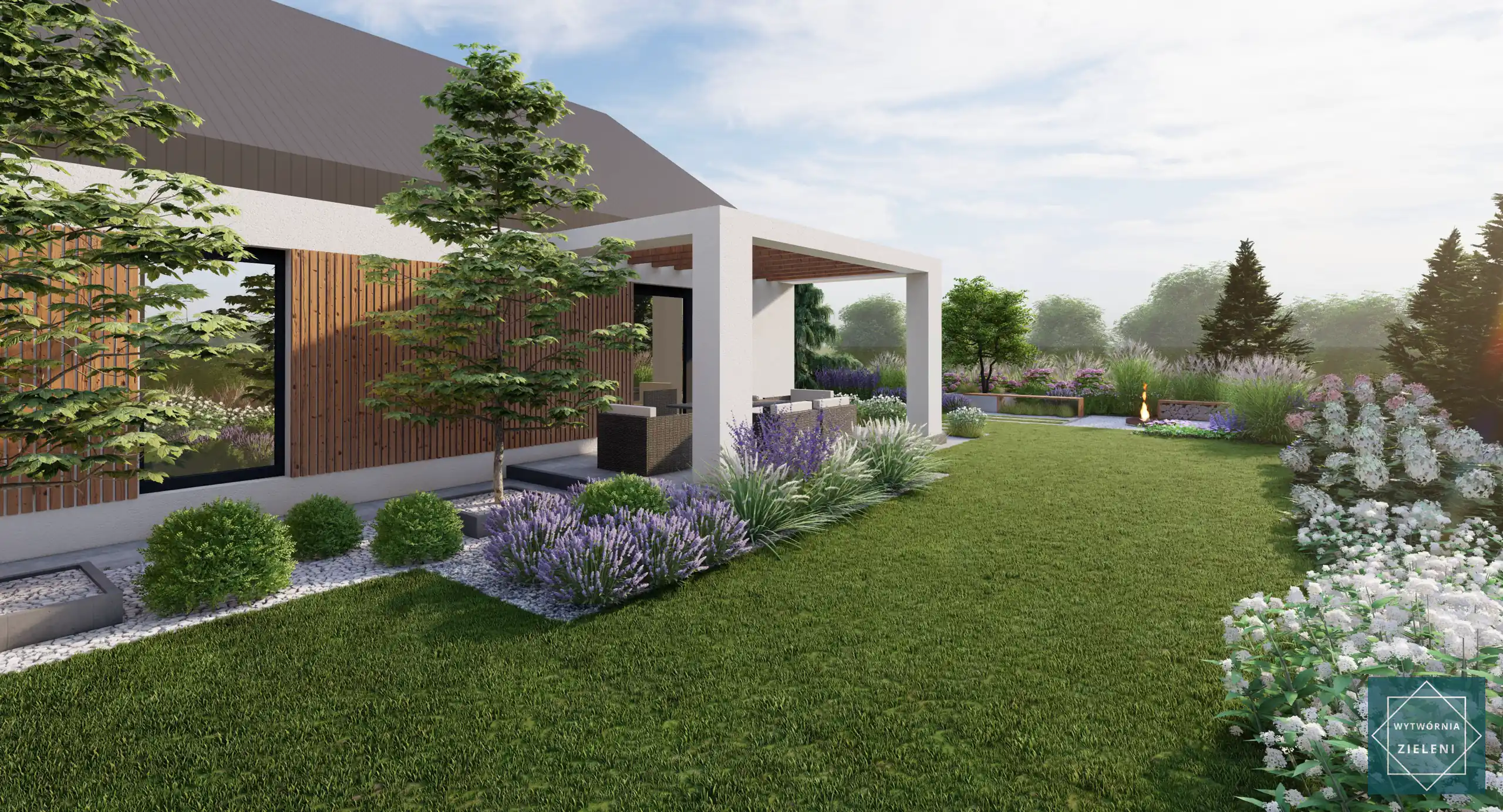
By utilizing garden design software, you significantly increase your chances of creating a space that is both functional and beautiful. Whether you're designing a large estate or planning a small garden design, these digital tools help you optimize your outdoor space effectively. For those seeking professional assistance, exploring garden design services can complement your software-based planning perfectly.
Free Garden Design Software Options
In this section, we'll explore free garden design software that enables step-by-step garden planning – without financial investment and without stress, even for first-time designers.

Advantages of Free Garden Design Software
Traditional garden planning on paper can be time-consuming and doesn't always accurately represent the final result. Free garden design applications provide several key benefits:
- Customizing garden designs to personal preferences and specific needs
- Better understanding of spatial relationships within the garden
- Proper planning of garden zones for different functions
- Strategic planning of architectural elements like pergolas, pathways, and lighting systems
Consider exploring free AI garden design tools as well. These innovative solutions accelerate the entire process and help prevent common design mistakes. For more insights into modern design approaches, our AI garden design guide provides comprehensive information.
Top Free Garden Design Programs
SketchUp (Free Version) – Free Online Garden Design
SketchUp is one of the most popular 3D modeling tools that excels for garden design software free applications. The free version, SketchUp Free, allows you to create impressive three-dimensional garden visualizations, planning the placement of plants, pathways, gazebos, and other landscape elements.

✅ Key Features of Free SketchUp:
- Intuitive Operation – User-friendly interface enables quick space modeling
- Browser-Based Functionality – No installation required, works with internet access
- Extensive Model Library – Access to ready-made 3D objects and plants
- Precise Tools – Perfect for planning garden dimensions and proportions
- Integration Capabilities – Export projects to various formats for professional use
Free SketchUp is an excellent solution for both beginners and experienced users. If you want to create 3D garden design software visualizations without cost, this application is worth trying!
myGarden by Gardena – Free Garden Irrigation System Design Software
myGarden is a free online garden design software from the Gardena brand, created for homeowners who want to independently plan gardens and sprinkler system installation. The program operates without installation – everything happens directly in your browser.
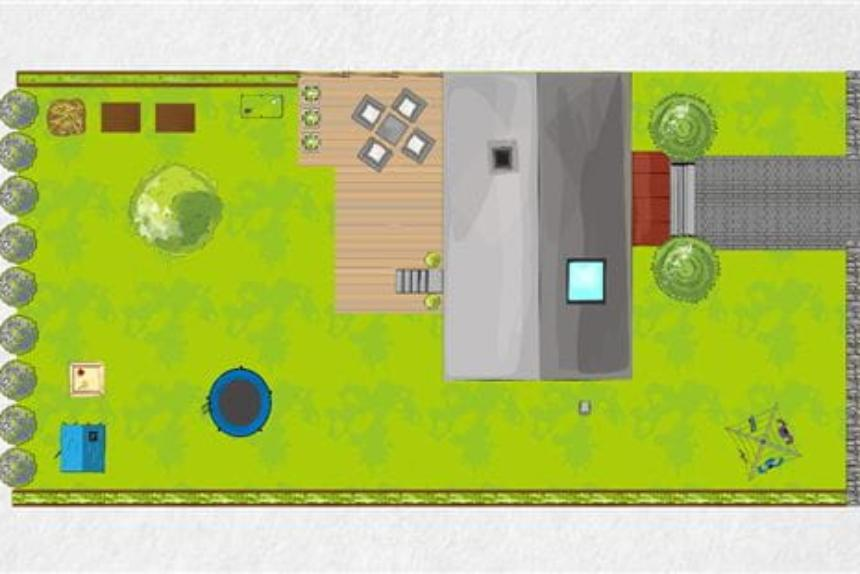
The main advantage of this garden design tool is the Sprinkler Planner function, which allows easy irrigation system design. You can select appropriate sprinklers, set their coverage areas, and visualize pipe and connection placement.
The application operates intuitively – choose your plot shape, add beds, lawns, trees, or terraces and immediately see results. Everything works in "drag and drop" mode.
This is an excellent solution for homeowners planning automatic sprinkler system installation who want clear element placement plans. For comprehensive guidance on irrigation planning, check our garden irrigation systems guide. Finished projects can be saved, printed, or shared with contractors.
✅ Key Features:
- Completely free version with full functionality
- Automatic shopping list generation for materials
- Simple and intuitive operation suitable for beginners
For those interested in water conservation and cost estimation, our garden water cost calculator helps determine long-term irrigation expenses.
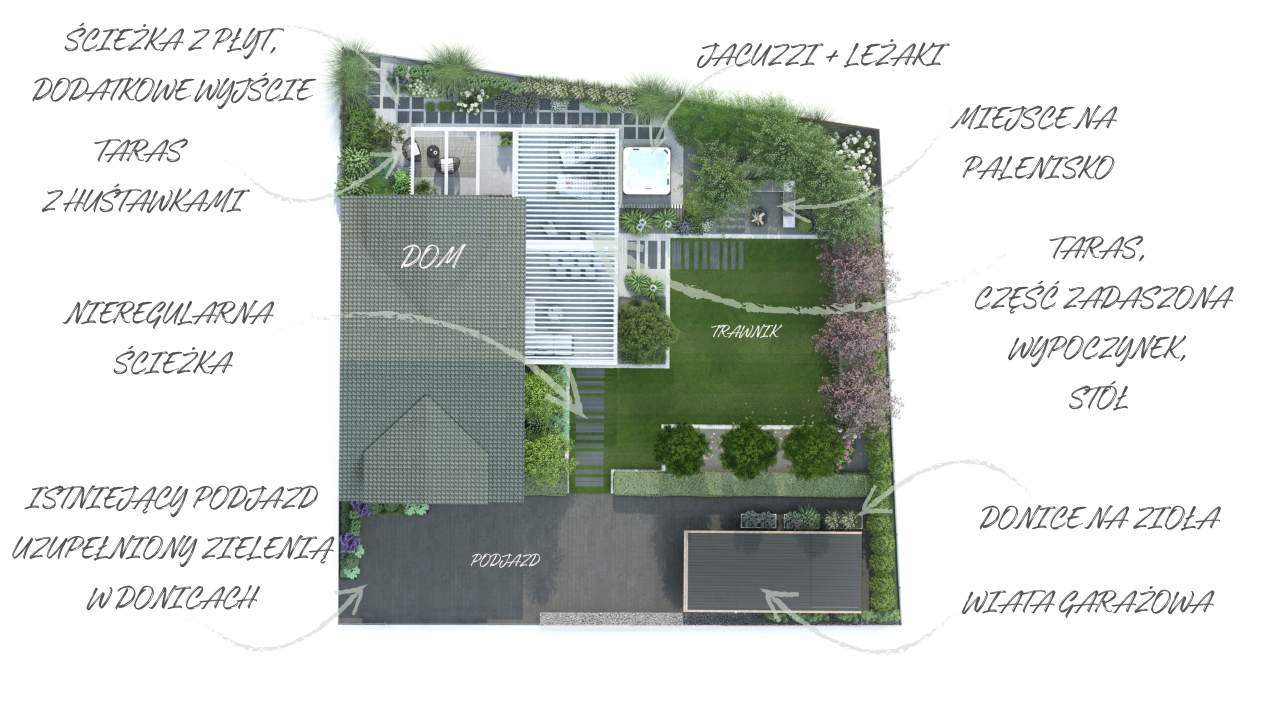
Garden Design Tool – Comprehensive Solution for Creative Users
The "Garden Design Tool" is a practical online garden design software that enables independent creation of customized garden plans. You can start from ready templates or build projects from scratch – defining plot boundaries and arranging beds, pathways, furniture, lighting, and other landscape elements.
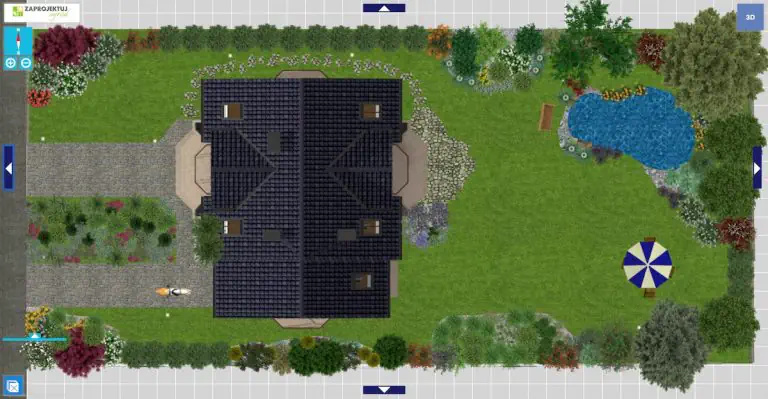
This garden design application offers a simple interface and extensive plant and material libraries, enabling quick testing of different layouts. With 2D and 3D preview capabilities, you can easily visualize the final result, and timeline visualizations show how your garden will evolve through seasons.
✅ Key Features:
- Upload your own photos for realistic design context
- Preview seasonal changes in your garden design
- Free 30-day trial version with full functionality
Amateur Garden Design Software Options

Garden Design Software Pricing Comparison
| Program | License Type | Cost | Additional Features |
| GardenPuzzle – Standard | 6-month subscription | $25 | Offline/online access, 1200 plants, 170 accessories, 50 projects |
| GardenPuzzle – Premium | 6-month subscription | $40 | 1700 plants, 250 accessories, iOS app, unlimited projects |
| GardenPuzzle – Small Business | 6-month subscription | $50 | Premium features for 2 users |
| Garden Design Tool – Trial | Free (30 days) | $0 | Full functionality, no project reload capability |
| Garden Design Tool – Full | Annual subscription | $22 | Full functionality, project saving capability |
| Garden Design Tool – Professional | Annual subscription | $100 | Commercial use license included |
When Is Paid Design Software Worth the Investment?
Some programs offer free versions with limited functionality or trial periods. If you're designing a garden design one-time, free applications should be sufficient. However, if you plan frequent design work or professional garden design for clients, investing in the full version of a chosen tool becomes worthwhile.
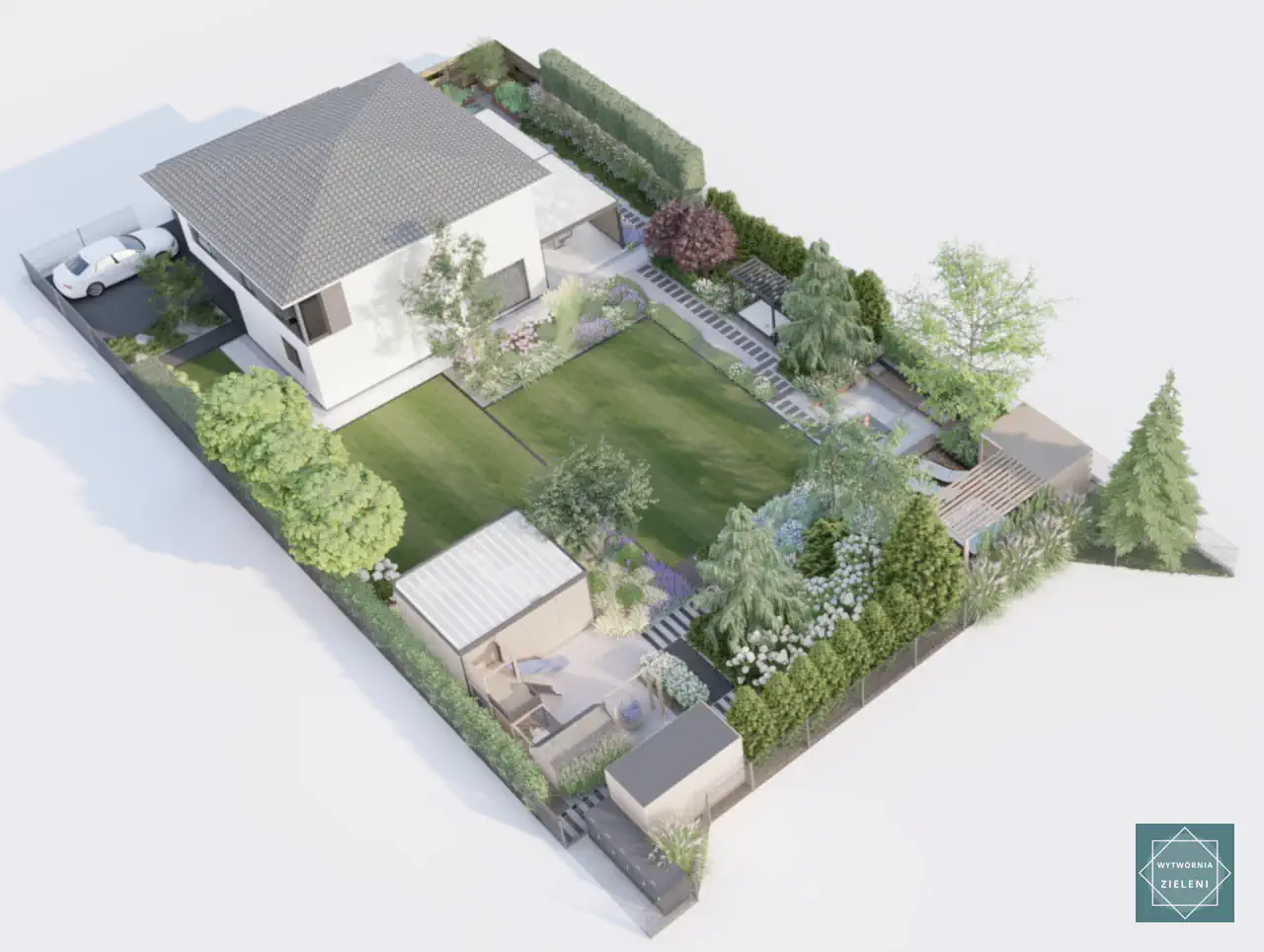
Understanding landscape design cost factors can help determine whether software investment makes financial sense for your projects.
Professional Garden Design Software
This section focuses on professional garden design software used by landscape architects. Landscape architecture companies use various garden design programs to create professional projects and realistic 3D garden visualizations. Below we present two categories: top-tier programs (premium pricing) and more affordable applications that enable beautiful garden creation.

For those starting their design journey, understanding landscape garden design fundamentals helps maximize software potential.
Professional Garden Design Software Suite
To design gardens at the highest professional level, appropriate tools are essential. Below we describe key programs useful for professional landscape design software applications.
Essential Software Categories:
- CAD Software for Technical Drawings – e.g., Gstar CAD, ZWCAD, ArchiCAD, AutoCAD
- 3D Modeling Software – e.g., SketchUp, Enscape, Revit
- Visualization Rendering Software – e.g., Lumion, 5D Render, Twinmotion, V-ray
✅ Advantages of Professional Software:
- Highest visual quality in project execution
- Extensive capabilities for complex projects
- Professional client presentation standards
❌ Disadvantages of Professional Software:
- Requires multiple specialized programs
- Higher software purchase or subscription costs
- Need for expensive, high-performance design equipment

Garden Design Applications – Affordable Professional Alternatives
These garden design applications are frequently used by landscape design services companies. While they are full-featured garden design programs, they don't provide the same functionality and visual effects as premium professional software.
Programs Include:
- Gardenphilia DESIGNER
- Vectorworks Landmark
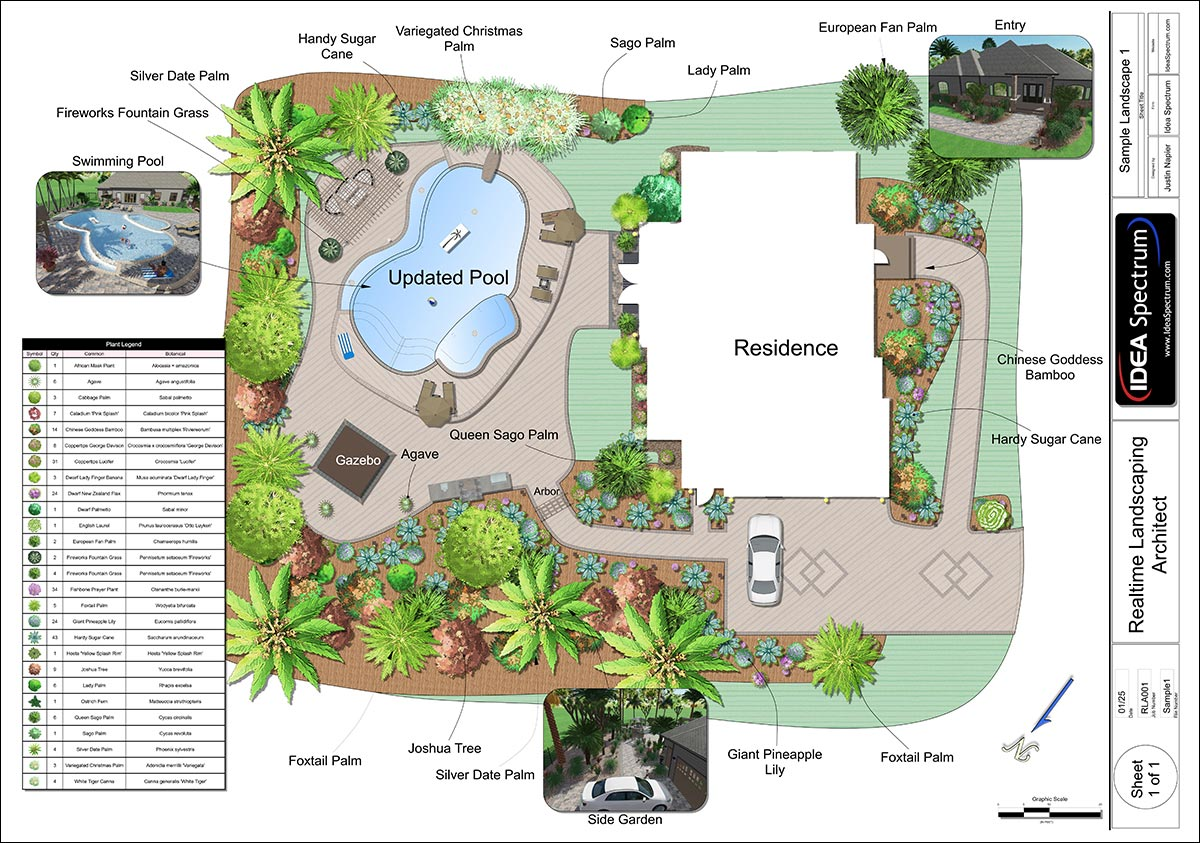
- Realtime Landscaping Architect
- PRO Landscape
Many professionals combine these tools with practical knowledge from our garden design step-by-step guide for optimal results.
✅ Advantages:
- Lower program and application purchase costs
- Reduced software complexity
- Some programs combine all functions in one package
- Compatible with standard computer systems
- Some programs include larger plant libraries
❌ Disadvantages:
- Significantly lower visualization quality compared to professional tools
- May be too limited for complex landscape garden design projects
- Client expectations may not be fully met with basic visualizations
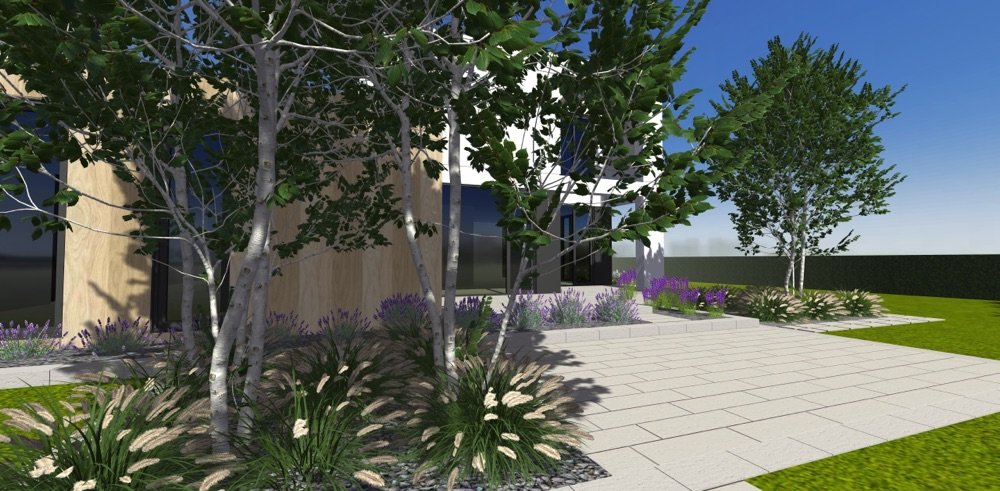
Garden Design Software Used in Our Studio
Below we present three garden design programs that our landscape architecture firm uses daily. These are professional tools for creating precise drawings, realistic visualizations, and complete garden documentation.
3D Garden Design Software - SketchUp
SketchUp is professional 3D garden design software we use for landscape design and modeling. It's irreplaceable for creating three-dimensional spatial visualizations that help clients better understand projects and spatial relationships.
Main SketchUp Functions:
- Terrain, building, and 3D space modeling
- Garden concept creation and development
- Small garden architecture design
- Texture and material representation
- Preparation of visualization and rendering foundations
SketchUp enables creating accurate, realistic 3D models that form the basis for further design stages. It's also perfect as software for designing fences, gazebos, playgrounds, and other landscape architectural elements. When working on privacy solutions, our fence line landscaping guide provides excellent plant selection ideas.
Professional Garden Rendering Software - Lumion
We prepare final garden project appearances in Lumion, which we consider currently the best garden design software for landscape and outdoor space visualization. This advanced software enables creating extremely realistic 3D images and dynamic animations that convey not only appearance but also the atmosphere of future gardens.
Main Lumion Functions:
- Rendering photorealistic 3D visualizations
- Adding lighting, shadow, and weather effects
- Garden space animation (camera transitions, water movement)
- Inserting realistic plant, furniture, and environmental models
- Creating garden project videos and presentations
- Quick previews and real-time change updates
For planning outdoor entertainment areas, consider reviewing our backyard fire pit ideas to enhance your visualizations with realistic gathering spaces.


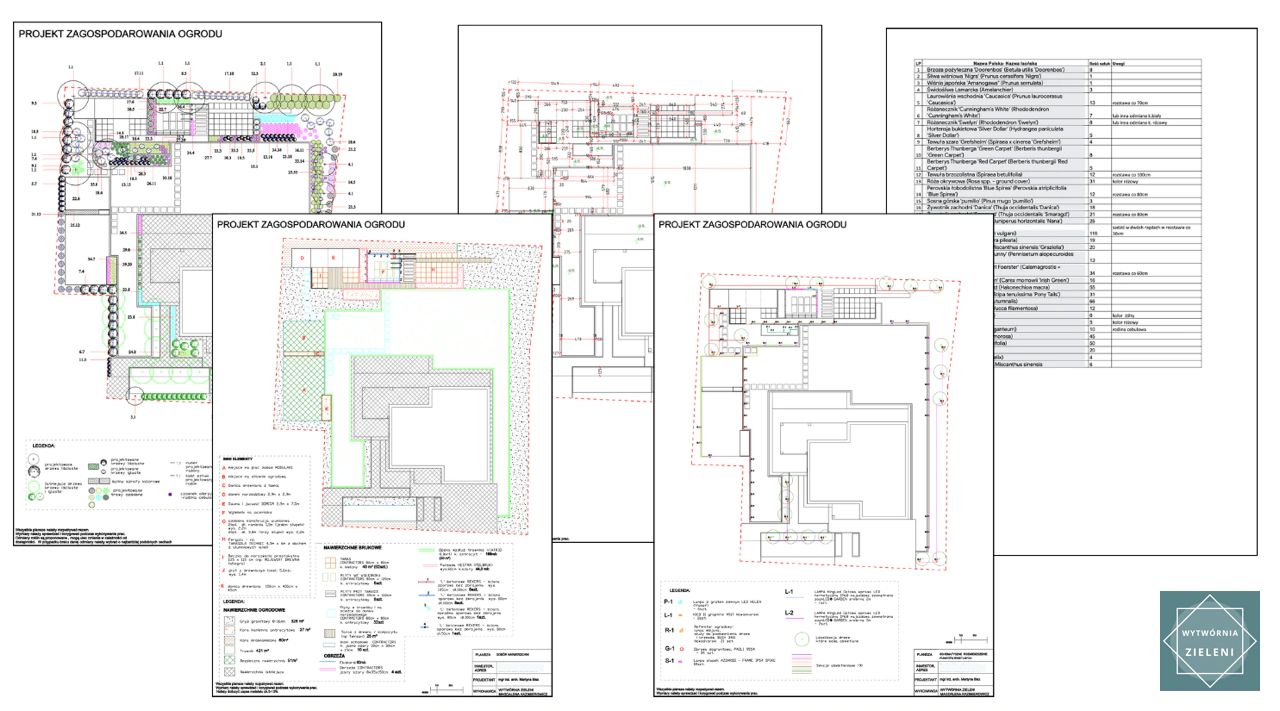
2D Garden Technical Plans - GstarCAD
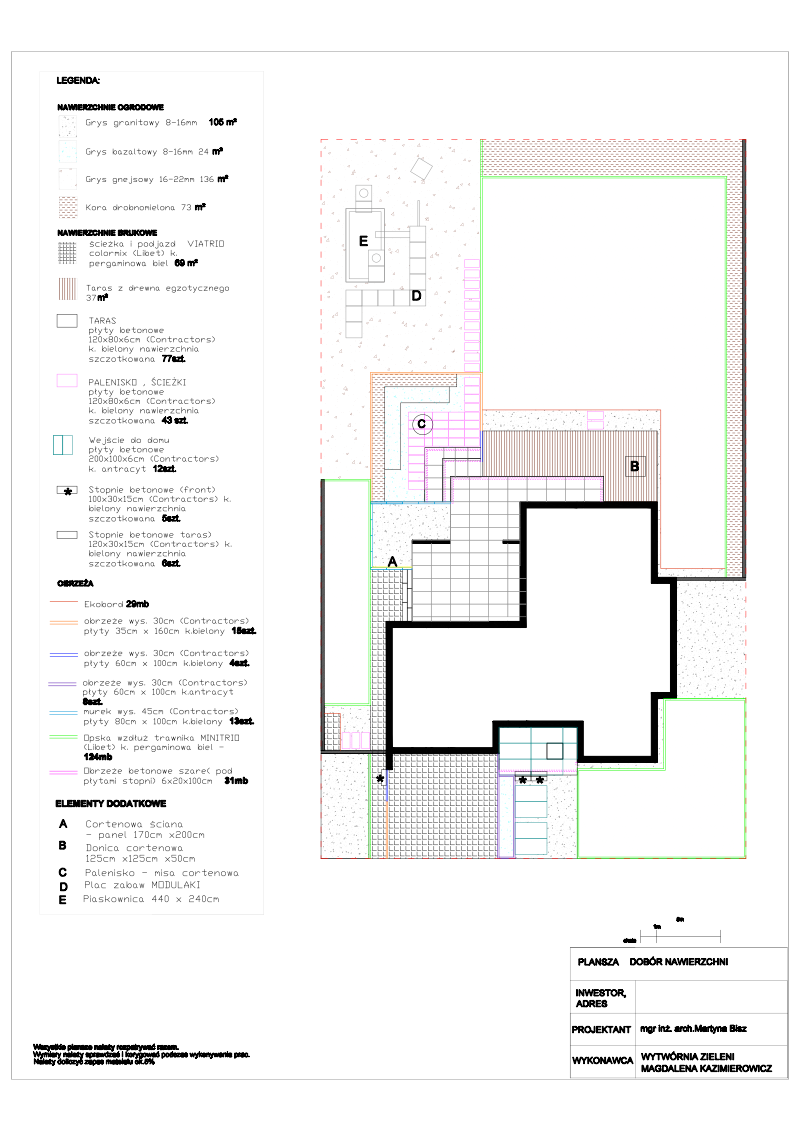
GstarCAD is the foundation of our operation for technical garden design projects. We use it to create precise technical drawings that form the foundation of every garden project. This tool allows working in a 2D environment with full control over dimensions, scale, and layers, essential for preparing executive projects.
Understanding the importance of technical garden plans helps appreciate why CAD software remains crucial for professional landscape work.
Main GstarCAD Functions:
- Creating precise 2D drawings and technical documentation
- Working with layers and dimensioning according to scale
- DWG/DXF file support – full AutoCAD compatibility
- Preparing foundations for 3D modeling and rendering
- High stability and speed with large projects

Professional Garden Design Software Costs
Annual license costs for complete professional garden design software suites range from approximately $1,750 to $3,000 gross annually, depending on chosen program versions. Previously, each program offered perpetual license options, but unfortunately, producers have limited this solution.
For budget-conscious professionals, using our landscape pricing calculator helps determine if software investment will pay off through improved project efficiency.
Current Pricing:
- GstarCAD – Annual license costs about $300 gross, perpetual license available for $650 gross
- SketchUp – Annual license costs $550–$650 gross, perpetual license currently unavailable
- Lumion/Lumion Pro – Annual license costs $900–$1,800 gross, perpetual license currently unavailable
Alternative Professional Programs
The following programs offer different functions than our daily-use suite. Due to capability and application differences, direct comparison is difficult, so we present them as available alternatives.
| Program | License Type | Cost | Additional Options |
| Gardenphilia DESIGNER | Perpetual | $600 – $1,875 net | 3D plant models, updates $125–$300/year |
| Vectorworks Landmark | Monthly/annual subscription | $159/month net | Perpetual versions (pre-2024) $1,750–$3,750 net |
| Realtime Landscaping Architect | Perpetual | $599 net | Version updates $129–$149, service package $425/year |
Transform Your Garden Vision into Reality
Creating the perfect garden is easier than ever with modern garden design software tools. Whether you choose free solutions for simple projects or invest in professional software for complex landscape design, the right tools can transform your outdoor space vision into stunning reality.

Professional landscape architecture firms like Wytwórnia Zieleni combine years of experience with cutting-edge design technology to create exceptional outdoor spaces. From initial concepts to final installation, our team handles every aspect of landscape design examples.
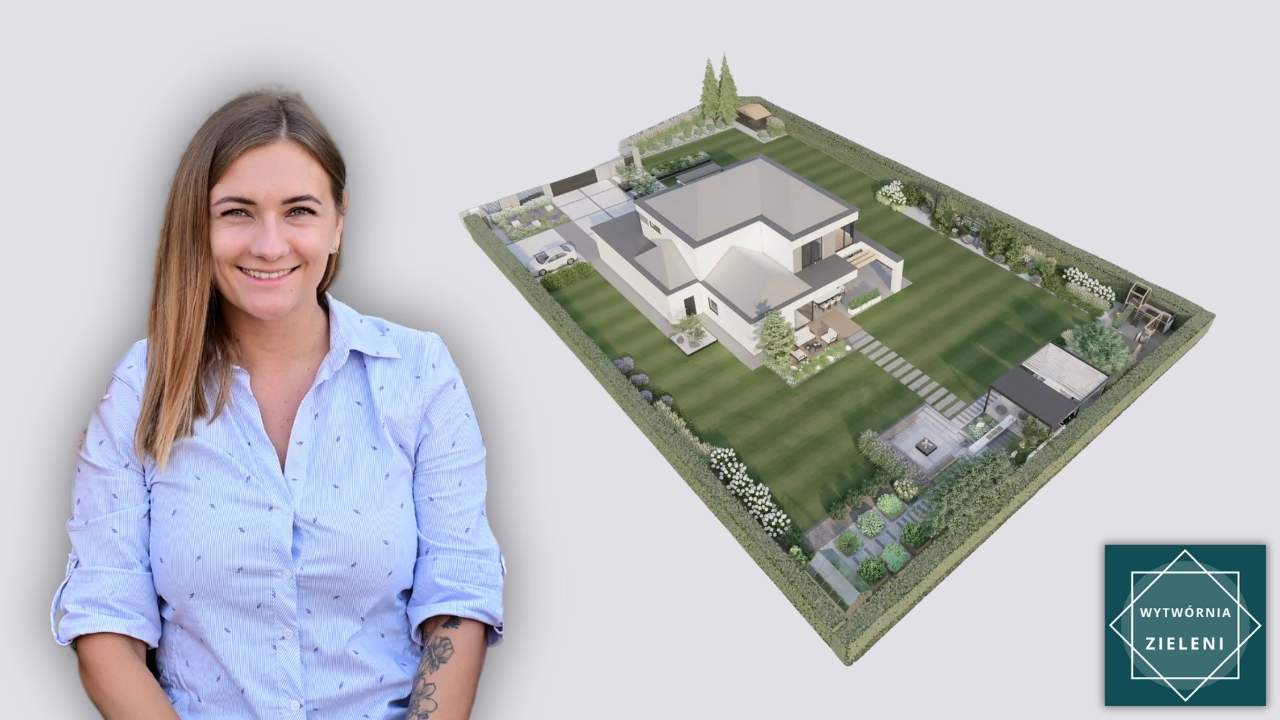
If you're ready to take your garden to the next level, consider consulting with experts who can bring your landscape dreams to life through professional garden design consultation and discover how expert planning can transform your garden vision into reality.
Summary - Which Garden Design Software to Choose?
Garden design is more accessible today thanks to programs offering technical drawings, 3D models, and photorealistic visualizations. Professionals choose tools like GstarCAD, SketchUp, and Lumion, while beginners can utilize affordable or free garden design software like GardenPuzzle or myGarden by Gardena. Software choice depends on your needs and budget — from simple, free options to advanced professional garden design software for demanding users.
The landscape design software market continues evolving with AI integration and cloud-based solutions becoming increasingly popular, making powerful design tools more accessible to homeowners and professionals alike. Explore our comprehensive garden design blog for more insights into modern landscape planning techniques.
Garden Design Software - Frequently Asked Questions
What factors determine garden implementation costs?
Garden creation costs vary significantly – factors include plot area, materials used, and planting types and quantities. To learn budget estimation techniques, check our guide on landscape design cost considerations and use our mulch calculator for material planning.
How to establish a garden step-by-step?
Garden creation is a process worth planning carefully – from concept through terrain preparation to planting and irrigation installation. Find practical guidance in our comprehensive how to design garden tutorial and soil calculator for accurate material estimates.
Does AI garden design make sense?
Modern technologies are increasingly entering gardening. Discover how AI garden design projects might look and understand their biggest advantages and limitations for your landscape planning.
What garden design mistakes can be costly?
Lack of thoughtful planning, poorly chosen plants, or improper earthwork – these are costly mistakes that generate unnecessary expenses. Learn what to avoid beforehand in our garden design mistakes guide and explore front yard landscaping ideas for inspiration.
Why create a garden concept project?
A concept project is a sketch showing function and zone layout in your garden. Better understand its role and appearance in our comprehensive garden design concepts guide.
How to create a well-planned home garden?
A home garden should be both aesthetic and convenient for daily use. Learn space planning and plant selection techniques from our detailed landscape design basics article.
What tools help plan gardens effectively?
For independent garden design, knowing available applications and programs is valuable. Find reviews of the best solutions in our garden design software comparison guide.
Which climbing plants suit garden applications?
Climbing plants work excellently with fences, gazebos, and walls – their diversity enables choosing ideal options for any conditions. Explore suggestions in our best climbing plants selection guide.
What plants work best for hedges?
Depending on whether you prioritize quick establishment, high density, or easy maintenance, different species excel. Review our compilations of hedging plants to choose appropriate varieties for your needs.
What ornamental plants enhance garden beauty?
For year-round garden appeal, ensure plant diversity – from tall grasses through impressive trees to colorful perennials. Explore our curated collections of ornamental varieties that create beautiful compositions.
Final professional garden design visualization showcasing the power of modern landscape design software

Wojciech Kazimierowicz – Author of the Article
Co-owner of Wytwórnia Zieleni and an expert in garden design and landscaping with over 13 years of experience. He specializes in creating modern, functional green spaces tailored to the budget and needs of homeowners.

Find Out How Much Your Garden Design Will Cost!
Take a quick quiz and discover the estimated cost of a custom garden design tailored to your needs. No strings attached – it takes just 2 minutes!


Wytwórnia Zieleni | Garden Design
KRS 0001107384 NIP 6452587627 REGON 528715049 St. Strzelców Bytomskich 51/1 42-600 Tarnowskie Gory, Poland
Resources
© Wytwórnia Zieleni 2026


